If you build client sites or sell templates on Squarespace, you know this frustration well. Every time you drop a brand-new Form block onto a page, Squarespace silently assigns your logged-in contributor email as the notification recipient.
If you miss even one form before site handoff, client inquiries end up in your agency inbox instead of theirs.
We built a direct fix inside the Form block editor to streamline how you manage form recipients.
What changed in the Form block Editor
When you open Storage → Email Notifications on a Form block, two new behaviors handle recipient routing:
Site owner default on brand-new Forms: Whenever you insert a fresh Form block onto a page, the Site Owner's email is automatically set as the default recipient instead of your logged-in admin/contributor account. (Full transparency: Currently, this automatic default applies only to brand-new Form blocks. Because of how Squarespace handles block duplication, duplicated forms or duplicated sections still fall back to your logged-in user email - though you can fix them in one click with the new dropdown below.)
One-Click Recipient Dropdown: Under Send Responses To, a new Recipient dropdown lets you quickly switch between site contributors and the Site Owner without hunting down and copy-pasting email addresses. If you need to route submissions to a custom address outside the site team, the standard Email address field right below still lets you type any address manually.
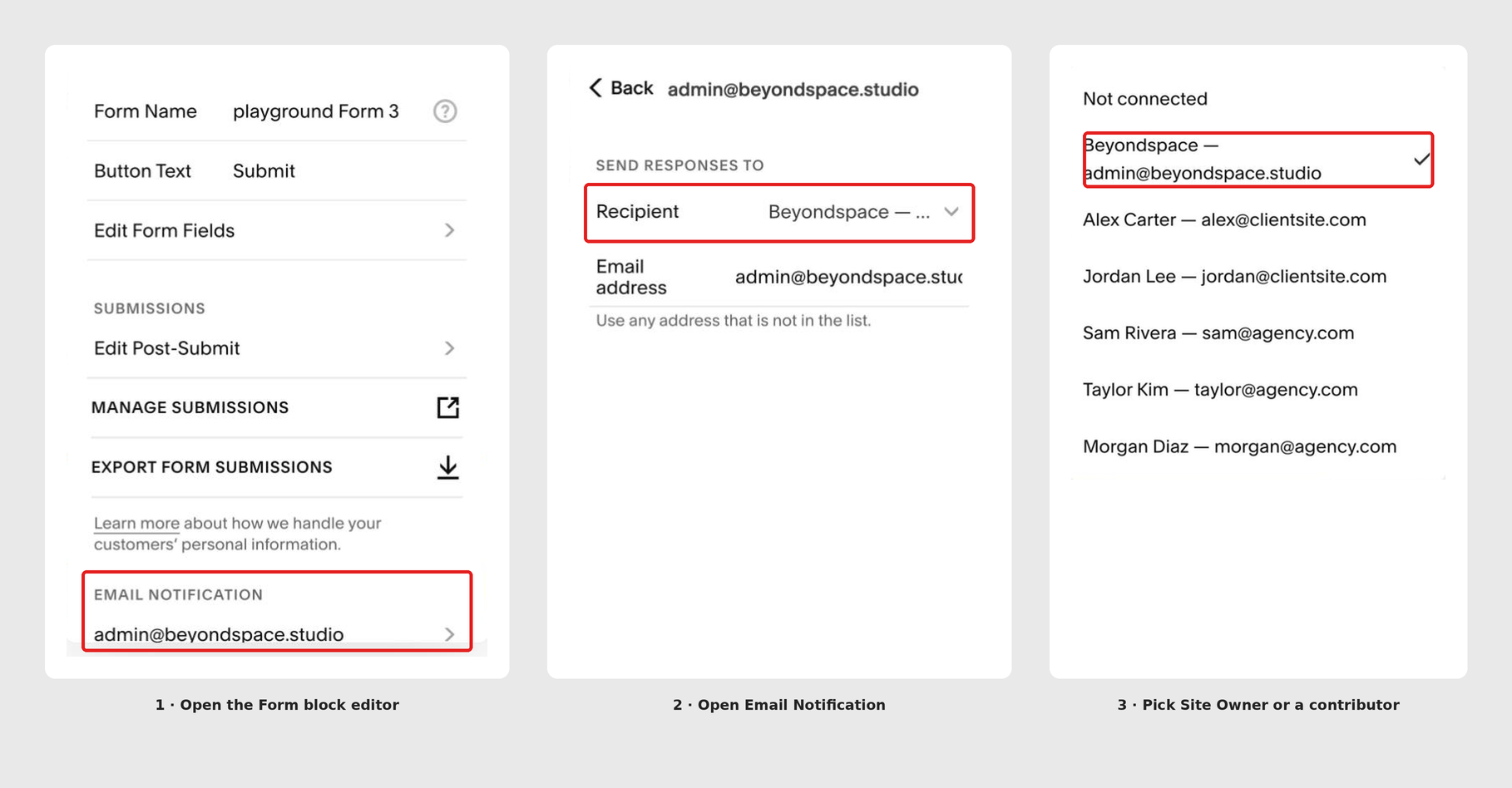
Select owner email from Form Email notification dropdown
How to Access It
These new Form block controls are included in the new Ground Control Pro plan. As soon as you activate your Pro license and refresh your site, the update is live inside your Squarespace editor.