Ensuring Datepicker Compatibility: January 2026 Squarespace Update
Squarespace has just rolled out a significant markup update to Product Forms (January 2026). This change affects how Product Forms and Donation Blocks render in the browser, which can unfortunately make some custom code obsolete and cause third-party plugins to break.
This follows a series of major structural shifts from Squarespace, including the Products V2 Update (August 2025) and the Form Block Update (June 2025). At Beyondspace, my goal is to stay ahead of these changes so your business never skips a beat.
Getting Ahead of the Changes
While the January update changed how product forms are structured, the Beyondspace Datepicker saw only minor effects. Because we proactively updated the plugin in 2025 to comply with Products V2, the core functionality remains solid.
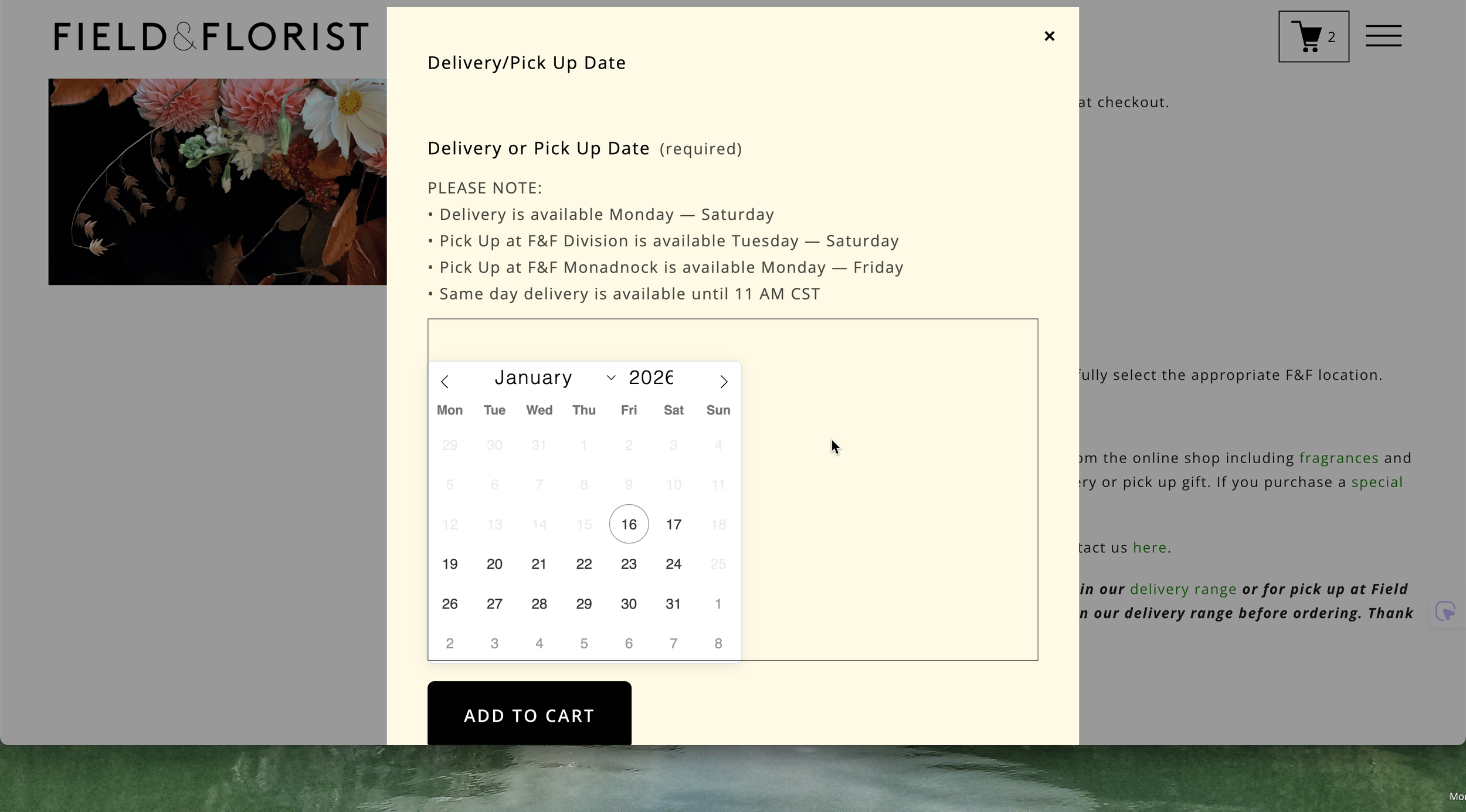
Squarespace datepicker issue
We identified two small visual glitches caused by the new Squarespace style system:
Inline Overlap: The inline datepicker was "blending" into the new text input style when a description was present.
Year Input Shift: The year selector was being cut off and shifted to the right due to new border-padding variables.
The Fix: I have already deployed patches for these issues. By refining the grid-row spans and adjusting the input alignment, everything is back to pixel-perfect performance. If your datepicker looks slightly "off," simply update to the latest version of the plugin.
What Makes Beyondspace Datepicker Different?
If you aren’t using it yet, I developed this plugin to provide a professional, seamless way for customers to select dates. It goes far beyond a basic calendar:
Lead Time & Preorders: Set "preorder days" to prevent last-minute bookings that your team can't fulfill.
Flexible Blackouts: Easily disable specific weekdays or custom date ranges (like holidays).
Design Harmony: Choose between Inline or Popup modes to match your site's aesthetic.
Full Integration: Works across Form Blocks, Product Pages (PDP) and even Cart pages
Important: Know the Limitations
Transparency is key to a smooth setup. Please keep these platform-level constraints in mind:
Checkout Page Security: Due to Squarespace’s strict security on the
/checkoutpage, the plugin cannot modify the final checkout form. It is designed to capture date information before the customer reaches the payment screen (on the product or cart page).Inventory Sync: The plugin acts as a visual and data-capture tool. It does not natively "count" stock or sync with Squarespace’s internal inventory numbers. If you have a strict limit on how many bookings can happen on a single day, you will still need to manage that manually.
Service Products: Currently, the plugin is optimized for Product Forms and Form Blocks. It does not integrate with the native Squarespace Scheduling (Acuity) blocks.
🚀 New: Manage Everything in Ground Control
In the past, users had to copy-paste code back and forth from our playground. Those days are over.
I am excited to announce that the Squarespace Datepicker is now fully supported in Ground Control.
Visual Settings: Customize your lead times, blackouts, and colors directly within your Squarespace dashboard.
One-Click Trial: Want to see how it looks on your site before buying? You can now activate a free trial with a single click inside Ground Control.
Running a business on a shifting platform is a challenge, but you don't have to handle the technical side alone. Check out the latest update in your dashboard today.