Restoring the Category List in the Squarespace Store Beta
Squarespace's new Store Filters (Beta) is a long - overdue update for product discovery. However, it currently forces a specific design rule: if you have more than 7 categories - or if you are on a mobile device - your navigation is compressed into a tiny dropdown menu.
For many high-end shops, hiding your categories behind a click is a conversion killer. A visible Category Tree allows customers to scan your entire range instantly.
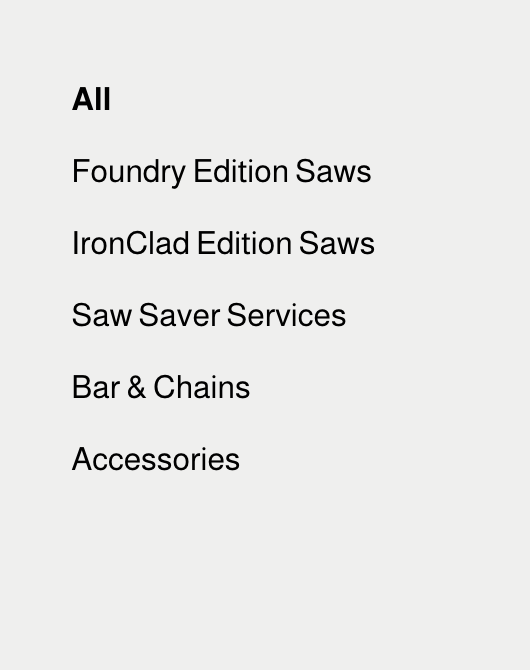
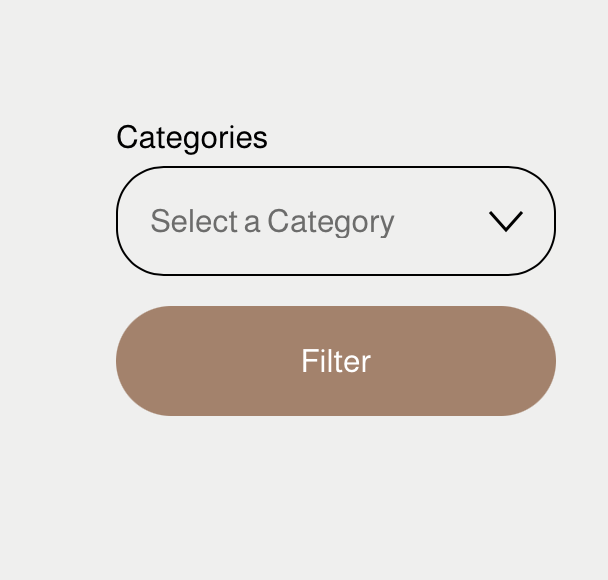
I believe this is a temporary oversight and that Squarespace will eventually provide a toggle to choose between a "Dropdown" and a "List" view.
The "Quick and Dirty" Fix
While we wait for the update to roll out completely, I’ve put together a lightweight script to "intercept" that dropdown and convert it back into origin nested list. It works perfectly with the Section Header > Menu Placement > Side layout.
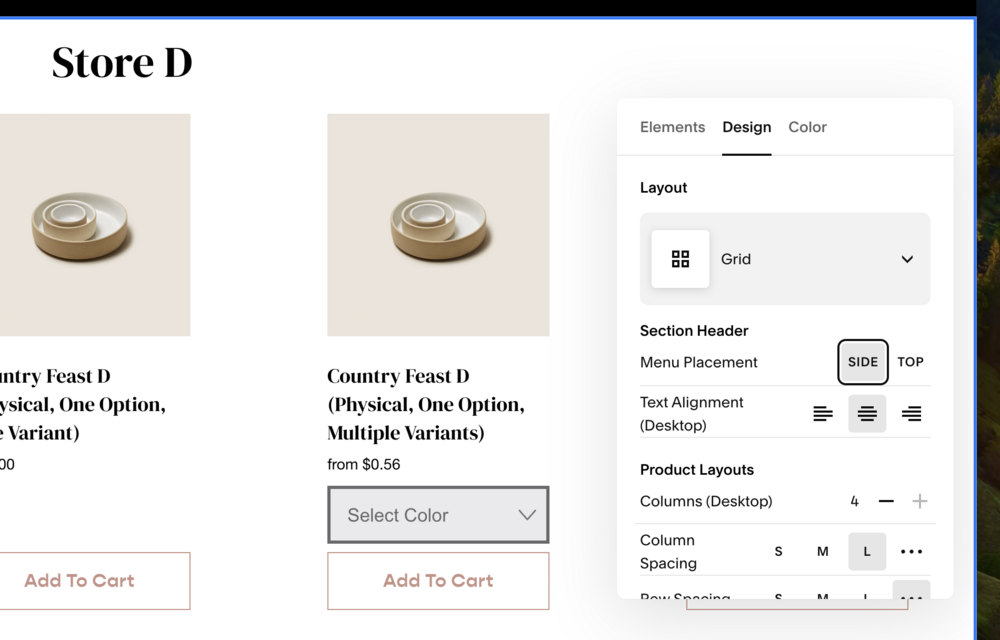
Video in Action
The Code Snippet
Paste this into your Site Footer code injection in Website -> Pages -> Custom Code (under Not Linked navigation) -> Code Injection.
Once Squarespace proposes an official fix, simply remove it.
<!-- sqs:beyondspace-filter-dropdown-convert -->
<script>
/**
 * Squarespace Category Dropdown to Tree Converter
 * Logic: Appends to .product-list-filters and marks selected option as .active
 */
(function() {
  const select = document.getElementById('product-categories-filter-dropdown-select');
  if (!select) return;

  // 1. Setup the Tree Wrapper
  const treeWrapper = document.createElement('div');
  treeWrapper.className = 'nested-category-tree-wrapper';

  const rootUl = document.createElement('ul');
  treeWrapper.appendChild(rootUl);

  // 2. Identify/Create the target container & Hide native UI
  let targetContainer = select.closest('.product-list-filters');
  if (!targetContainer) return; // Safety break

  let dropdown = targetContainer.querySelector("#product-categories-filter-dropdown");
  let filterButton = targetContainer.querySelector(".product-list-filter-button-container");

  if (dropdown) { dropdown.style.display = "none"; }
  if (filterButton) { filterButton.style.display = "none"; }

  // 3. Process Options
  const options = Array.from(select.options);
  let stack = [{ level: -1, ul: rootUl }];

  options.forEach(option => {
    const text = option.textContent.trim();
    const value = option.value;
    const isSelected = option.selected; // Check if this is the active category

    // Skip "All" or placeholders
    if (value.endsWith('/shop') || text.toLowerCase() === 'all') return;

    // Depth detection via   (2 per level)
    const rawText = option.innerHTML;
    const nbspCount = (rawText.match(/ /g) || []).length;
    const currentLevel = Math.floor(nbspCount / 2);

    const li = document.createElement('li');
    li.className = 'category-item';

    const a = document.createElement('a');
    a.href = value;

    // Build class string: root status + active status
    let classList = ['category-link'];
    if (currentLevel === 0) classList.push('root');
    if (isSelected) classList.push('active');

    a.className = classList.join(' ');
    a.textContent = text;
    li.appendChild(a);

    // Maintain nesting stack
    while (stack.length > 1 && stack[stack.length - 1].level >= currentLevel) {
      stack.pop();
    }

    stack[stack.length - 1].ul.appendChild(li);

    // Look ahead for children
    const nextOption = option.nextElementSibling;
    if (nextOption) {
      const nextNbsp = (nextOption.innerHTML.match(/ /g) || []).length;
      if (Math.floor(nextNbsp / 2) > currentLevel) {
        const subUl = document.createElement('ul');
        li.appendChild(subUl);
        stack.push({ level: currentLevel, ul: subUl });
      }
    }
  });

  // 4. Inject into DOM
  targetContainer.appendChild(treeWrapper);

})();
</script>
<!-- /sqs:beyondspace-filter-dropdown-conver -->
Need a Hand?
I know that every Squarespace site is a little different. If you’ve customized your CSS or are using a unique template and the snippet isn't lining up perfectly, I’m here to help.
Is the new Filter Beta causing other design headaches for your shop? Just hit reply and let me know.
If you'd rather have me handle the implementation for you and ensure your shop is 100% optimized before the official rollout, I offer 1-1 sessions to get your site exactly where it needs to be.