Yes. While Squarespace natively limits moving collection items to Blog, Store, Events, and Videos pages, Ground Control Pro unlocks the exact same native Move workflow for Squarespace 7.1 Portfolio pages - so you can reorganize case studies, split a large portfolio into focused collections, or merge multiple portfolios without rebuilding projects from scratch.
Before You Begin
Supported on Squarespace 7.1: Works between any two Portfolio pages on the same Squarespace 7.1 site..
Requirement: Ground Control Pro (or Agency) active on the site, and at least two Portfolio pages present in your Pages panel.
How to Move Portfolio Projects
Open the Pages panel and click the Portfolio page containing the projects you want to move.
Select the checkbox next to each project you want to relocate (or click Select All).
In the action bar at the bottom of the panel, click Move....
In the Select Destination Collection window, select your target Portfolio page and click Move items.
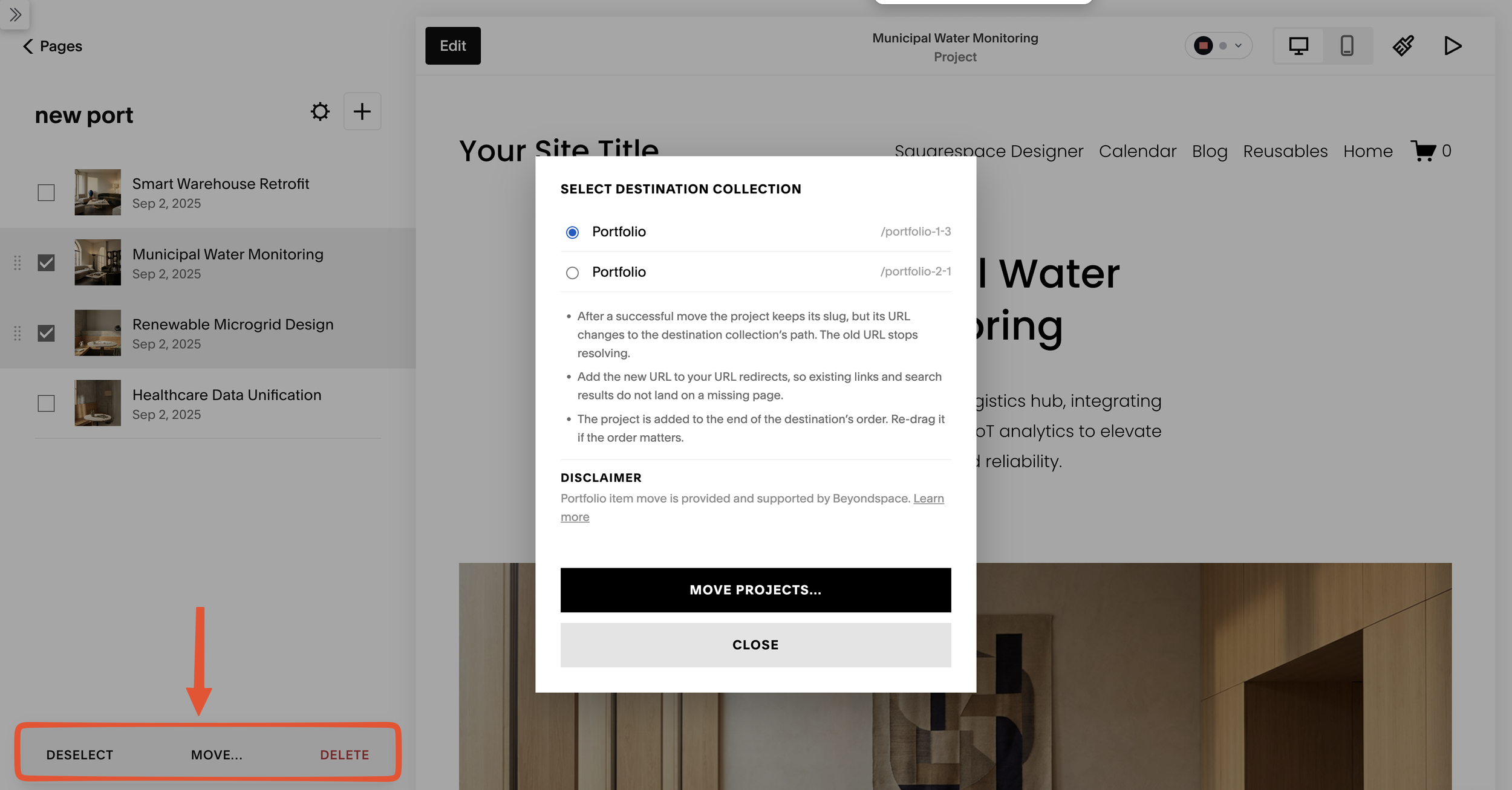
Moving Squarepsace portfolio
What to Know After Moving Portfolio Items
Test on a Staging or Duplicated Site First: Test the feature on a duplicated or staging site first before reorganizing live client portfolios.
Project Order: Moved projects appear at the bottom of the destination Portfolio collection. Drag and drop them in the side panel to rearrange their grid order.
Custom Layouts & Blocks Preserved: All sections, Fluid Engine layouts, galleries, and text blocks inside each portfolio project move intact.
Avoid Broken Links With 301 Redirects: Because a project’s URL reflects its parent Portfolio slug (for example, /work/project-name becomes /case-studies/project-name), add a 301 redirect under Settings → Developer Tools → URL Mappings if both Portfolio pages were public so existing links and search rankings don't hit a 404 page.