Squarespace has officially begun rolling out a major change to how Additional Info works on 7.1 sites. If you use custom code to style your product pages or have complex product layouts, you need to pay attention to this transition.
What’s Changing?
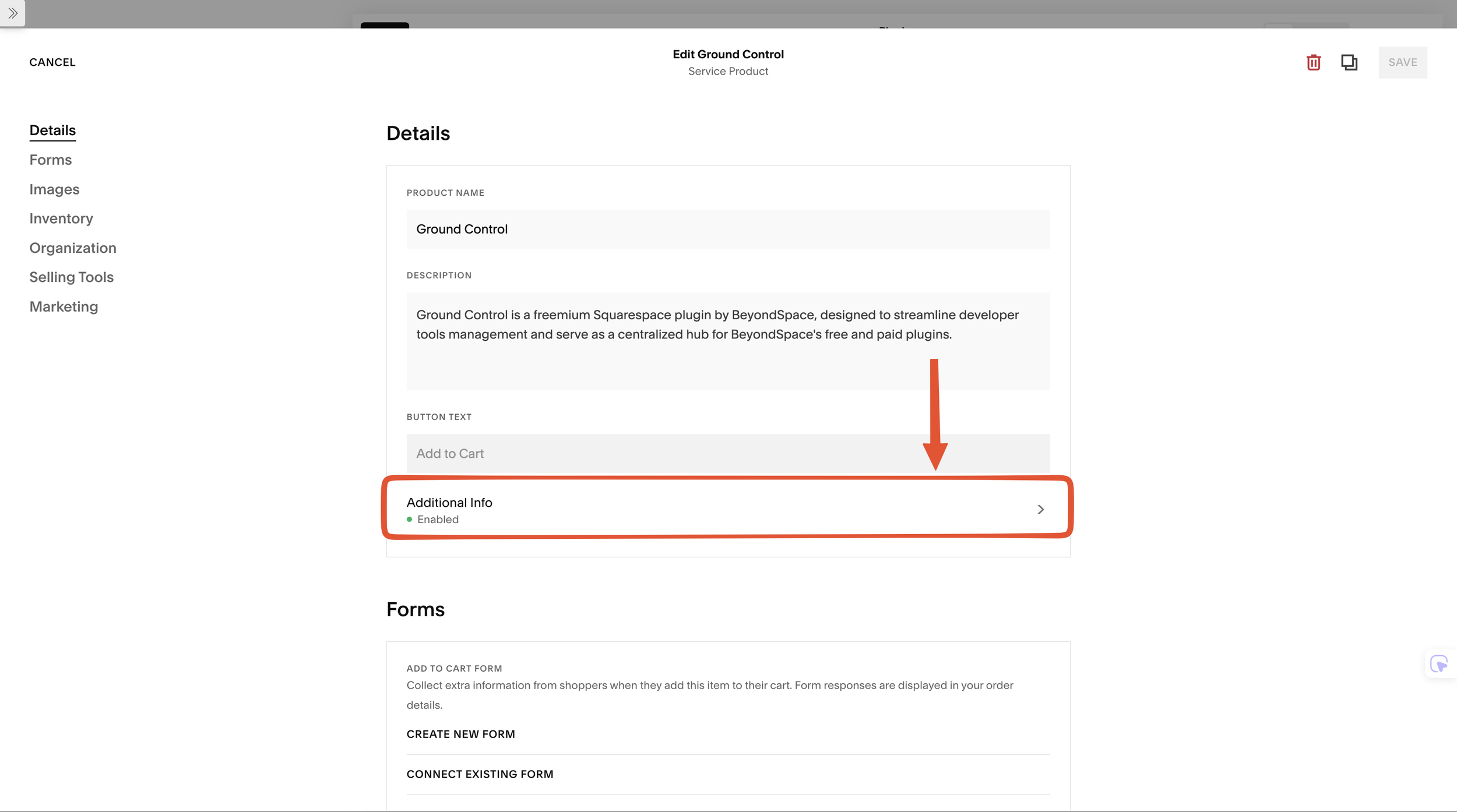
Additional Info removed from Product editor popup
Traditionally, you edited "Additional Info" inside the popup product editor. Now, it is moving directly onto the page.
Automatic Conversion: Your existing "Additional Info" content has been automatically migrated into a page section located at the bottom of your product details.
In-Context Editing: Edit directly on the Product Detail Page (PDP). You no longer need to jump back and forth between the page and product settings.
Expanded Limits: You are no longer restricted to a single section. You can now add up to 10 sections to your product description.
Fluid & Classic Support: Both Fluid Engine and Classic Editor sections are fully supported, giving you total creative control over your layouts.
Predefined Layouts: Since these are standard sections, you can leverage the Saved Sections feature to quickly add predefined layouts to new products, saving you from building the same structure from scratch every time.
Synced Blocks Ready: For users of our Synced Blocks plugin, this new workflow is fully compatible. You can easily insert reusable content blocks into any of these 10 sections to manage product data globally.
Breaking Change for custom code
This is the most important part for those of us using custom CSS or Javascript
The Old Way: Additional Info was a child of the product detail container.
The New Way: Additional Info is now a separate section entirely. It no longer sits inside the
.product-detailparent.The Grace Period: Squarespace has added a temporary class,
.ProductItem-additional, to the new section's content wrapper. This will be removed in approximately 60 days.
How to Prepare
Check your CSS: If your code looks like
.product-detail .ProductItem-additional, it will break soon because they are no longer parent/child.Update Selectors: Shift your styling to target the section directly or use the new structure.
Beyondspace Compatibility Notice
I am currently auditing all of our plugins—including Datepicker, Synced Blocks, and Lightbox Studio - to ensure full compatibility with this new section-based architecture. You can rest assured that your Beyondspace plugins will continue to function normally during this rollout.